Money, home and daily habits in one app, for family and friends
Everything Everywhere is an app shared with family and friends. Each person has their own account to track money, home and daily habits. This page shows you how to get started and how to use it well.
It is invite-only: you need an invitation from the person who shared it with you.
Getting started
From your invitation to a useful first week, in eight steps.
Open your invite link and create your account
The link opens the sign-up form with your Invite code already filled in; it works once. Enter your Email, a Password of at least 10 characters and your Currency, then press Create account. The currency can only be changed while the account is still empty.
Install it on your phone
The install guide works even before you sign in. Later you can find it in Settings, under Install the app, with Open the guide.
Open the install guideTake the short tour
Right after you create your account, a short tour shows you how to record an entry, set a budget and read the dashboard. You can play it again from Settings, with Show the tour again.
Check your settings
In Settings, look at Account currency, then set Budget month to start on the day you are paid (Starts on day).
Record your first expense
On a phone, tap the + button (Add an entry), enter the amount, choose a category and press Save. On a computer, open Entries.
Set a monthly plan
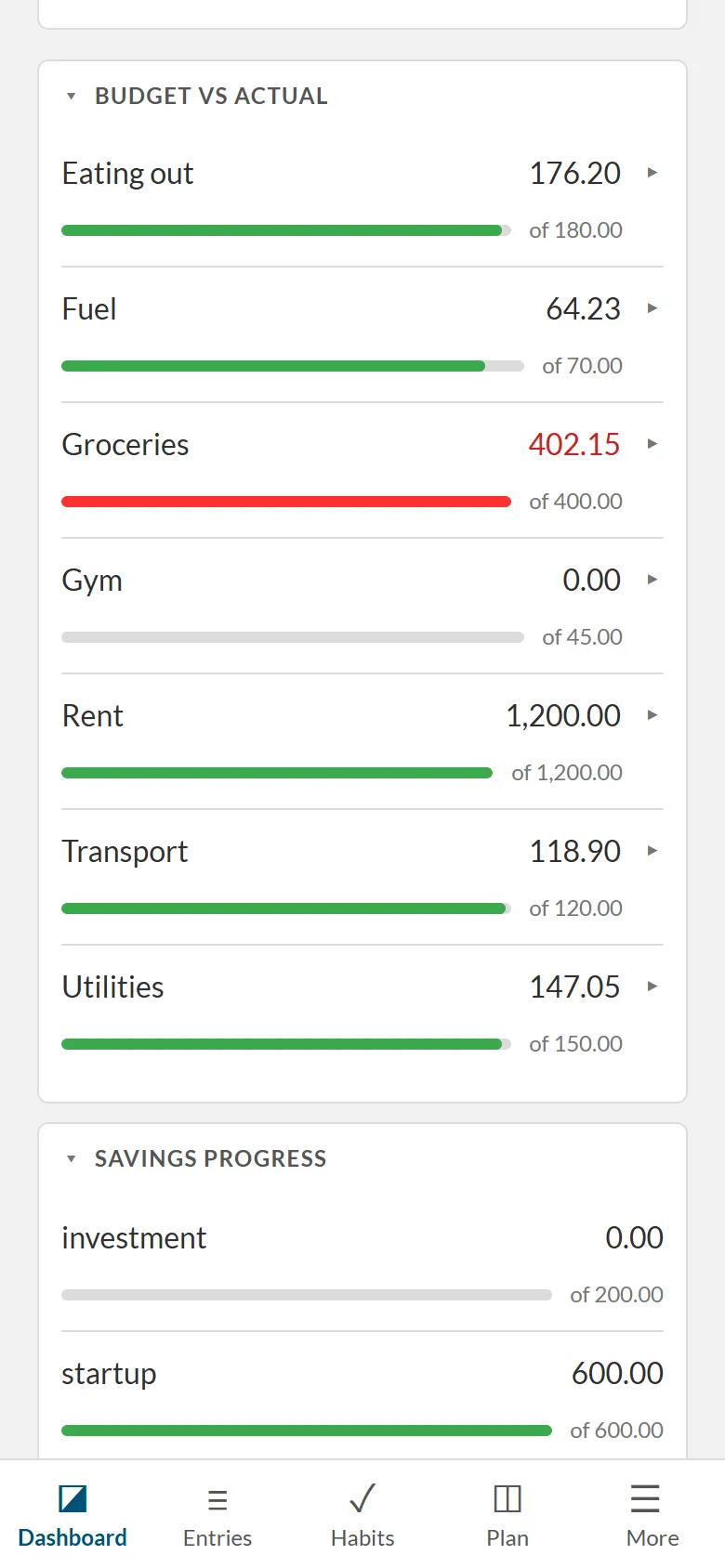
Open Plan, find Monthly budgets and give each category an amount. You will then see what you spent against what you planned.
Keep your recovery codes
In Settings, under Password and recovery, press Generate codes and keep them somewhere that is not this app. If you forget your password, Forgot your password? on the sign-in page lets you set a new one with your email and one code.
Make it yours
On a phone, More then Change what’s in the bar lets you pin the four places you use most. In Settings, Layout also has Sections you use: switch off what you don’t need.
Tips to get the most out of it
Small habits that make the app more useful.
Record purchases as they happen
The + button on your phone is the fastest way. Without a connection, the entry waits on your phone and is sent when you are back online.
Make rent and salary recurring
On Plan, use Recurring and Add a recurring entry. Each one is proposed when it is due and you confirm it or press Skip. Tick Add automatically only for a fixed amount like rent.
Give savings pots a goal and a date
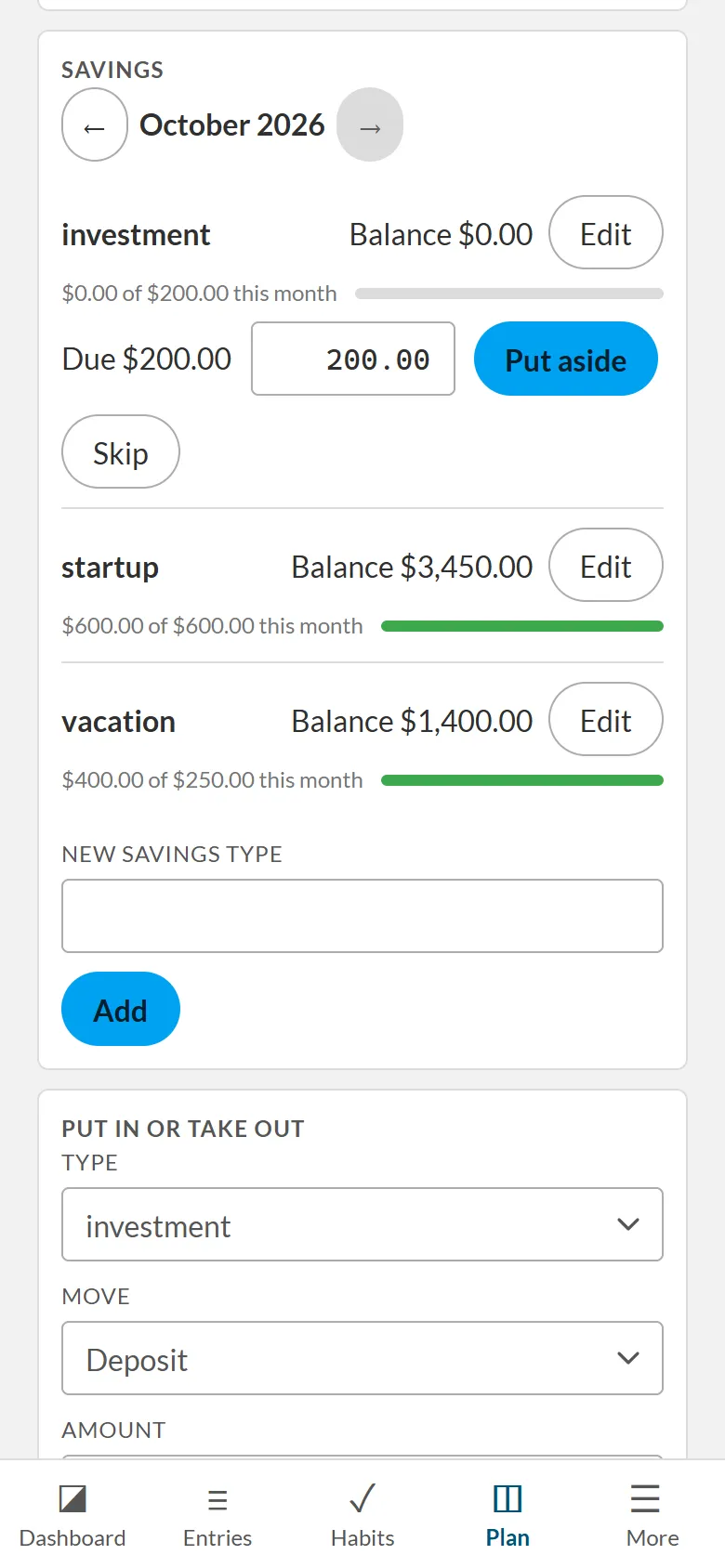
In the Savings card on Plan, fill in Goal amount and Goal date. The app then proposes how much to put aside each month.
Keep Stock levels up to date
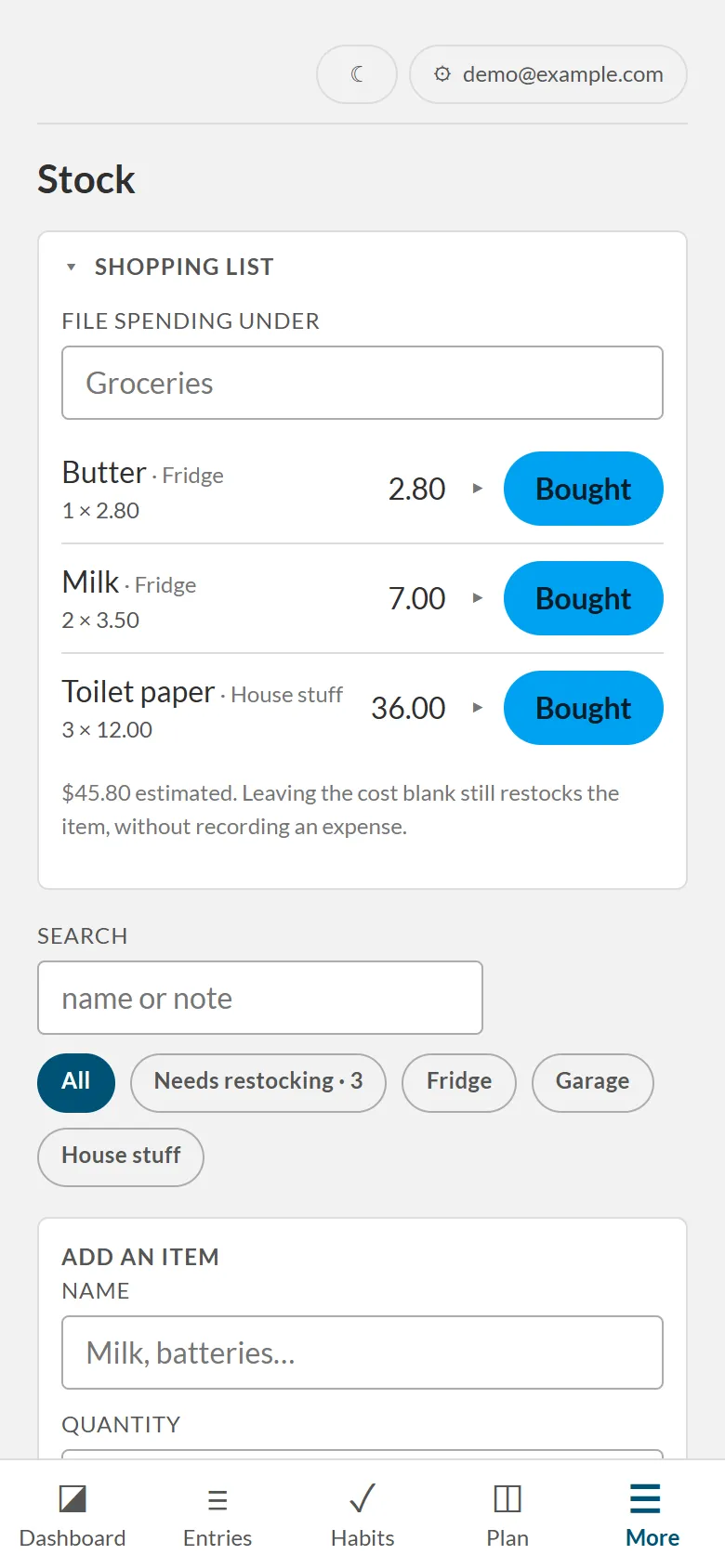
Give each item a restock level in Stock. Items that run low appear in the Shopping list, and ticking one as Bought restocks it and can record the expense in the same step.
Put it in your phone’s calendar
In Settings, under Calendar apps, press Create a subscribe link and paste it into Google, Apple or Outlook calendar. It is read-only: changes are made in the app.
Check in every day
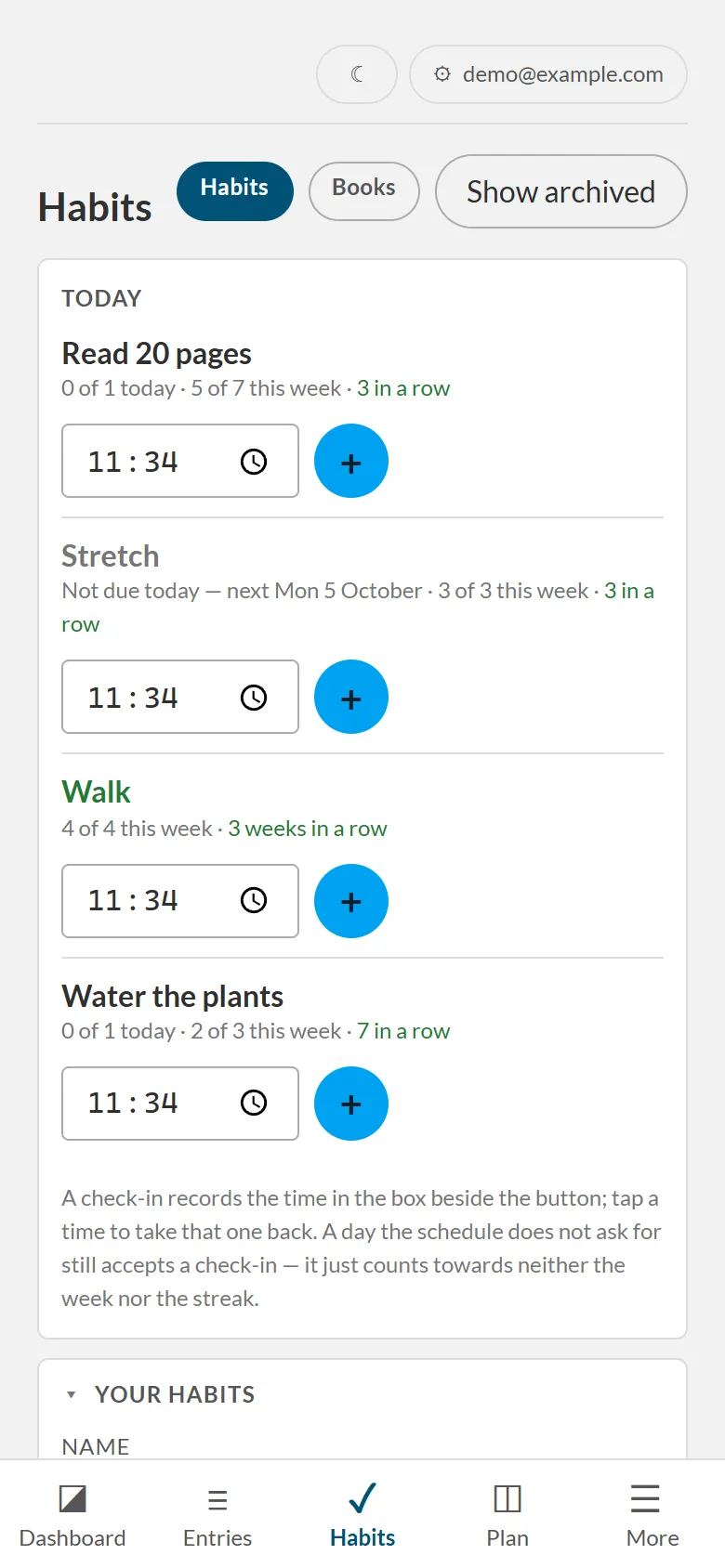
Press Check in to keep your streak going and earn points. Points can buy a freeze that covers a day off.
Export your data when you like
In Settings, under Export, download Entries CSV, Savings CSV or Stock CSV for a spreadsheet or to keep.
What’s inside
The main places, in four groups.
Money
Record what comes in and goes out, then see where you stand.
Income and expenses
Each with a category, an optional quantity and unit, and the shop. Search them later.
Recurring entries
Rent, subscriptions and salary are proposed when due; you confirm or skip.
A monthly plan
An amount per category, against what you spent. Your budget month can start on any day.
Totals and comparisons
Totals for the month, the year and all time, and what you pay per unit in each shop. Grow compares interest rates on your device and stores nothing.
Savings pots
A goal and a date for each pot, deposits and withdrawals, and a proposed monthly amount. An expense can be paid from a pot.
Home
Know what you have, what to buy and what to cook.
Stock
Spaces and items with a restock level, and a history chart for each item.
Shopping list
Built from what is running low. Tick an item to restock it and, if you want, record the expense.
Recipes
Ingredients, steps and servings.
Foods and meals
Foods with their kcal and macros; a logged meal shows on your calendar.
You
Keep track of the things you do for yourself.
Habits and mood
Flexible schedules, a daily check-in and a heatmap, plus a daily mood check-in with an optional note.
Gym
Exercises, routines, sessions, rest days and a strength chart. You can build a prompt from your own data for the AI assistant of your choice and import its plan. The app itself calls no AI.
Books and notes
Rate books, keep their quotes, and write notes by typing or drawing with a finger.
Streaks and points
Keep a streak going, earn points, and spend them on a freeze or a repair.
Moon and clocks
Moon phase and moonrise, computed on your device, and clocks for other time zones.
Everywhere
On your phone, on your computer, and when the signal drops.
Offline entries
Entries, gym sessions and notes made without a connection are sent later.
Calendar
Your records on a calendar with layers, a private link for Google, Apple or Outlook, and a way to add a single item to your own calendar.
Languages and looks
English or French, five themes (light, dark, OLED black, high contrast and sepia) and nine accent colours.
Switch off what you don’t use
Turn modules off, and arrange the tabs separately for your phone and your computer.
Your data, your server
- No ads and no trackers.
- Hosted by Hetzner in Germany.
- Accounts never see each other’s data. As with any hosted service, the person who runs the server has technical access to the database.
- Open source under the MIT licence, so anyone can run their own copy.
Sign in, or start with an invite
It is invite-only: you need an invitation from the person who shared it with you.